
Substack hack for organization, importing content & direct engegament
Free stuff from a new Substack writer. Don't pay the AI guy, It's free here.🤪

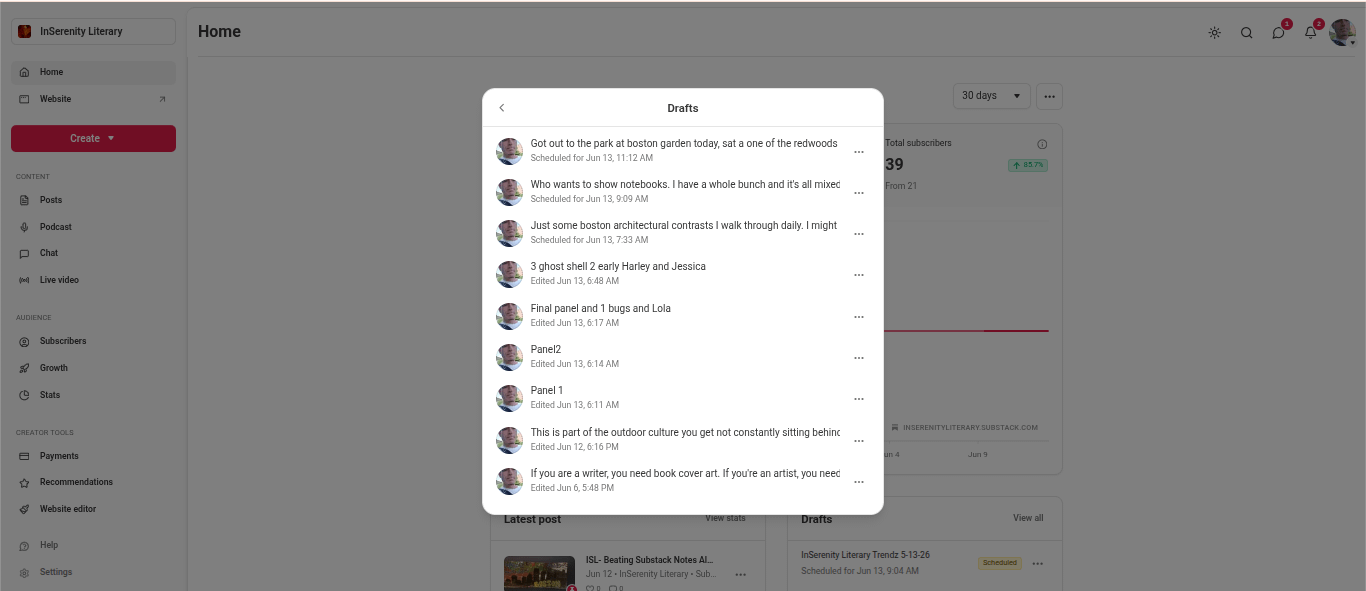

On this article, what I want to show here. Let’s take a look at the note system. This is a highly useful option in the Substack community. We have previously discussed how your notes are actually URL food for external search engines and how to work on direct gains there.
Let’s expand into some other uses I have found.
Outside what we covered previously about scheduling algorithmic timing to our notes so we are triggering external search engines and planting a garden of URL signs pointing directly to us.
We have discovered the value of scheduling our notes ahead so we do not have to do it on the spot and we can sit on the beach in Tahiti once the money starts rolling in,.
We have also we have discussed scheduled timing around our article drops to promote the article in an indirect way in the substack feed but well enough to trigger the external search engines.
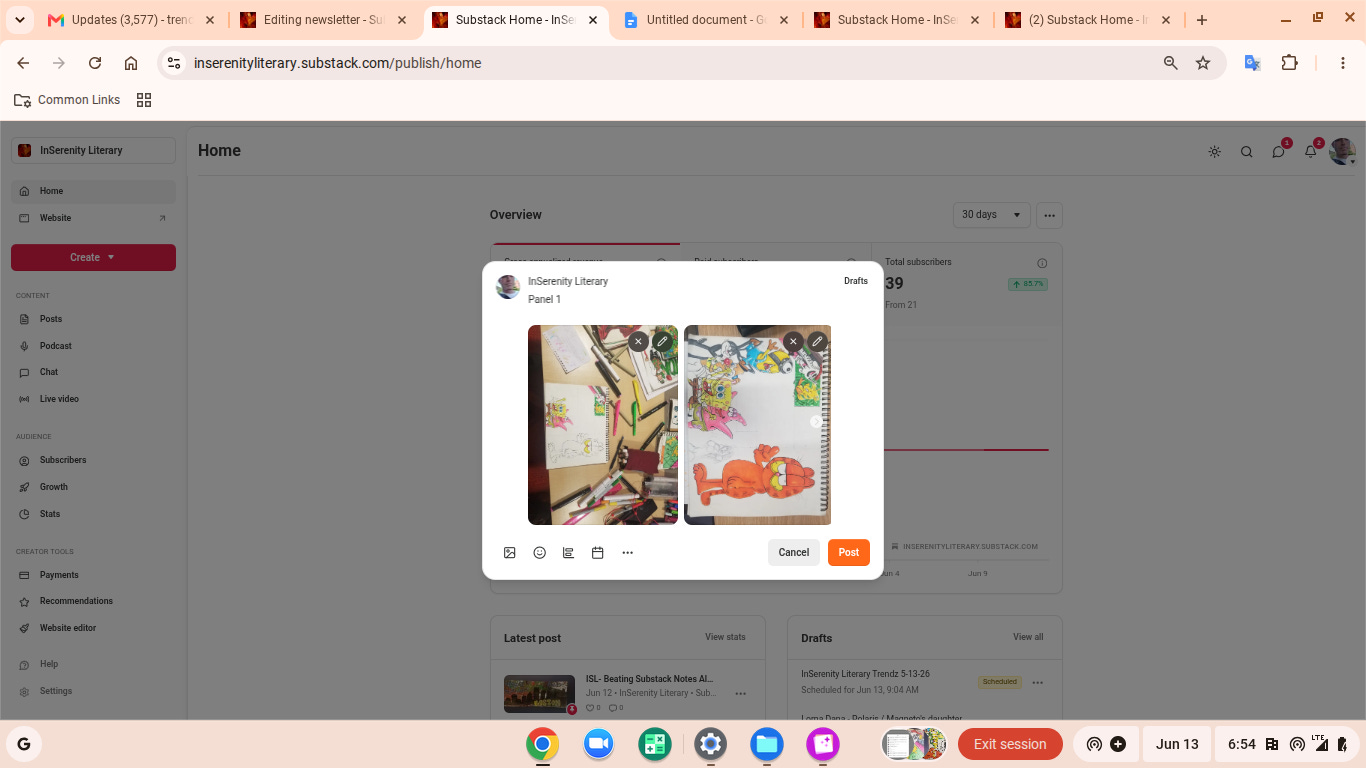
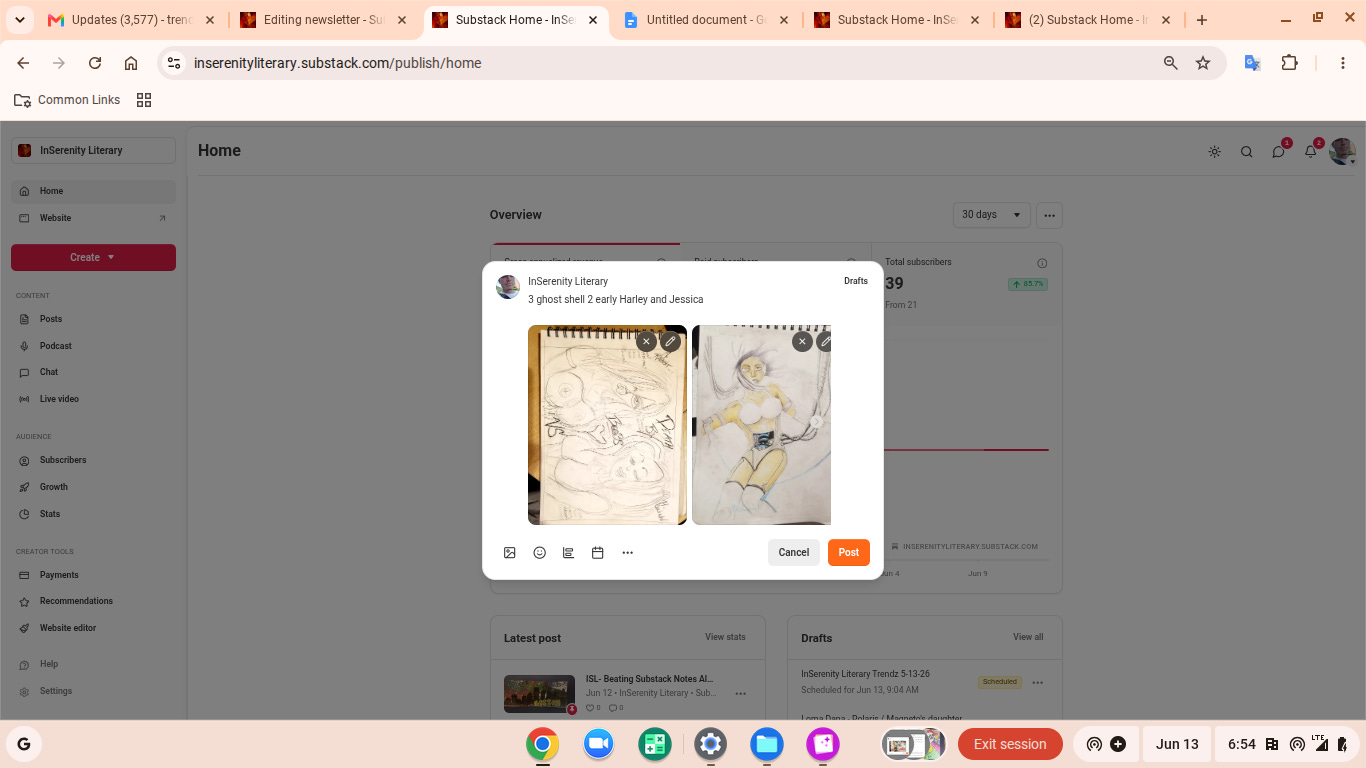
So look at these screen shots, again I have my typical organized setup at top in the browser to work on multiple pages at once with my google docs as a middle separator and research link dropper so we are organized.
Now, when I initially setup Substack April 30, I was quite the noob and still am, but I realized I am not getting away with stuffing a single picture into my articles and expecting much engagement on that article. I threw up some stuff trying out the site and putting a basic starter content kit out there so I had something to be seen.
With that said, I draw and paint by hand, I do my notes and research and writing by hand. I have a ____ ton (Mad-Libs🤣) of content I can post and:
1.> One up the AI “Artists” and “Creators”
2.> Build some nice “how my pictures and other content are built”
3.>Add more options, buttons and chances for engagement on my page.
Figure out what it is you have that is unique and don’t just show your product!
People love to see how it was put together.
You have more legit content to spam Substack and its bot with.🤩
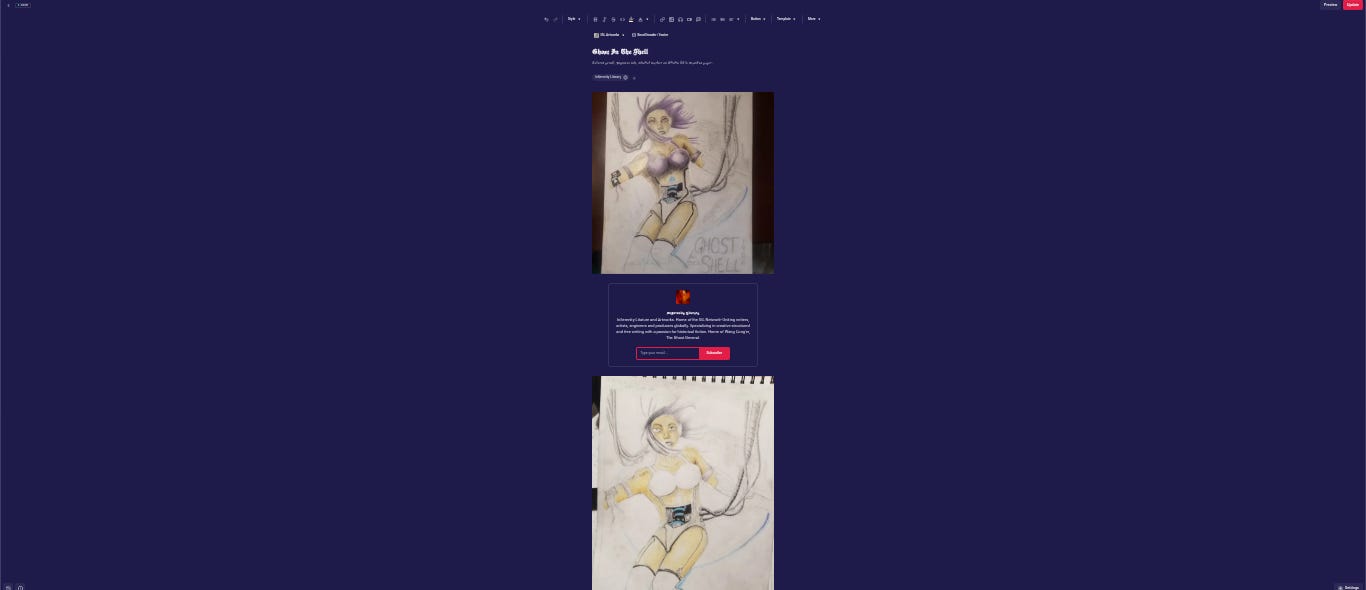
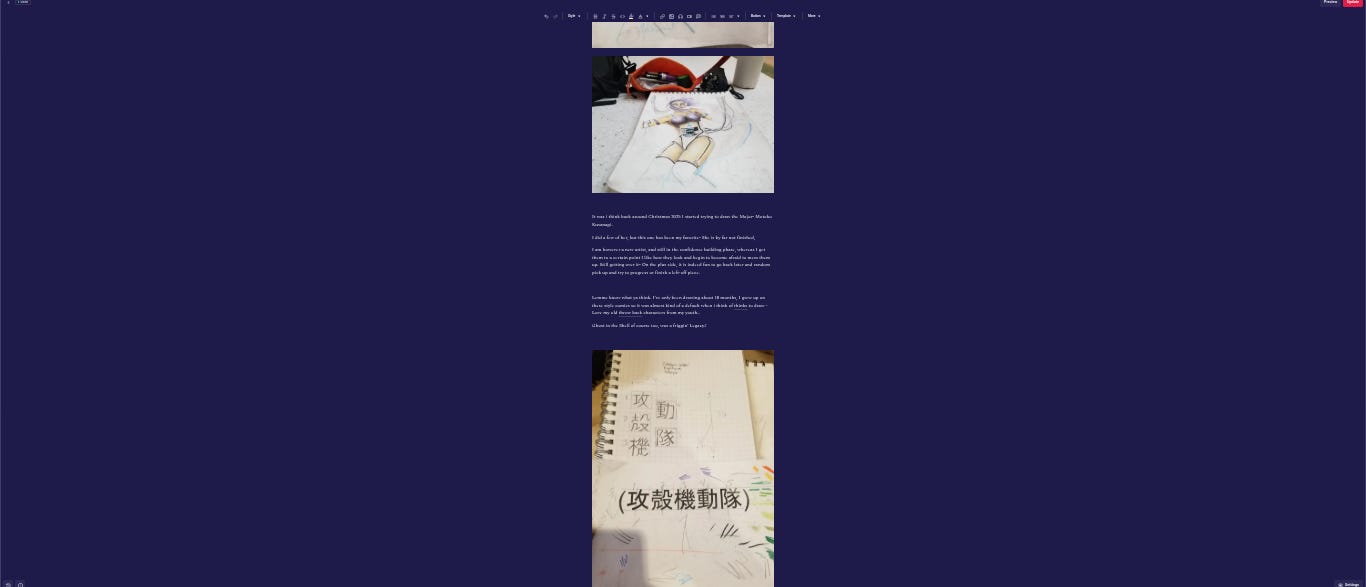
(The Japanese Calligraphy translates to “Japanese Mobile Armored Police”. This is what they actually call Ghost in the Shell in Japan, it’s country of origin and is stamped on every one of their comic books.)
For asian calligraphy like this, I verify the script by multiple sources, I print it as seen, I then draw gridded boxes within a sheet of graph paper.
[I use a 1/3 rule dividing the boxes both horizontally and vertically by 1/3 and use those as placement grid to practice a hand sketch. After a few tries I usually get it down and can start looking at doing it on a live drawing I am working on.]
So now, instead of just one picture on the article, I have a few to work with. Unfortunately I drew the Major before I was taking many pictures. I was not quite planning to use this for content then.
I have images for spacers with my text body in between to try to keep people scrolling and I have placed buttons where I think they may get some interaction.
What is a big highlight here- Those notes, I uploaded from my cell phone. You can send 5 photos in 1 note upload. What I do:
Open Substack on Chrome on my cell
Go into Create
Select Notes
Upload the 5 pictures (You can do this live or backstock content)
In the note body box, I type a quick description of the pics attached for ME.
Then hit “DRAFTS” and it will proc a menu to “SAVE DRAFT”
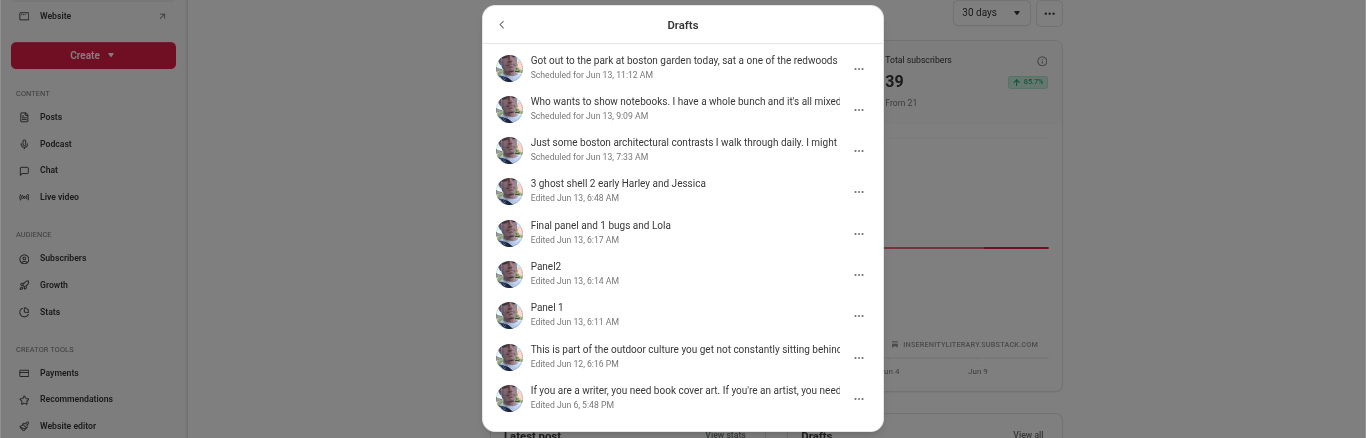
This will upload the files and keep it as a draft for you only so you can leter work on moving the files around on a laptop, just import or drag and drop into your other Substack articles.
For example here, the bottom scheduled article is some comic drawings of Lorna Dane I did. I imported these picture files with this method, and when I did the notes, I scheduled them at times right around when I planned to drop an article that is already scheduled now around my hand drawing of several Lorna Danes.
I’m not here to push you my content.
I am writing in this new Substack Help forum I have put together to demonstrate and show strategies I am using. Things that I have found to save me time and spawn more DIRECT hits from outside substack.
I am still not promoting on social media sites at all. I do plan to eventually, but as a noob here myself- I understand the value of at least trying to setup what I have to offer as best as possible while also gaining some reputation with the fellow creators and Substack bot 😂
One last thing to remember in viewing this again. You can play your own strategy on a post schedule for notes that works for you with your style and content. I would suggest though not going more than 4 hours without a note 6 tops. You will start losing priority with the algorithm that displays your content.
You will see a spike in your unique visitors, impressions and more importantly engagement . Now that you are attempting a monetization, build a system that works for you and around your schedule.
These preset scheduled times can always be changed, for example I will be removing around a 3-4 hour block of likely some of my art or picture notes, rescheduling them to the back of my line here then insert 2-3 notes about this particular article in the timeframe I set it to drop.
This works on a busy schedule, your account is lined up days out on auto-drops, life happens monetize it with pics and video 😅, then find a place to insert it.
Just a matter of organizing.
If this helped drop a line.
Leave a comment or critique on this release below:
⌛⌛⌛
Build the connections and start understanding the math
Learn the story of a forsaken Legend
InSerenity Literary and Artwork’s main content is always free.
⌛Drop a link on all your favorite platforms. ⌛
inserenity857@gmail.com
InSerenity Literary (ISL): Solo and Independently run.
Boston, MA 2026
Insights on independent publishing, literature, creative strategies/design, and local Boston writer & artist initiatives: writing, art, music, science, mathematics.